GSoC Project: A New Adventure - Update #2-3
Hi everyone!
Another milestone has been reached, so it's time for an update.
About half of the campaign is finished (with small modifications taking place continuously). The campaign (which currently consists of 4 missions) can be tried out via a clone set up at http://code.google.com/r/szabibibi-campaign/.
It is aimed at newcomers (though it might be a bit challenging for them), so veterans may find it too easy...
As promised, decisions taken and performance on certain missions affects the story/game mechanics.
I hope you'll like it!
GSoC project: Hedgeroid Netplay - A toy frontend
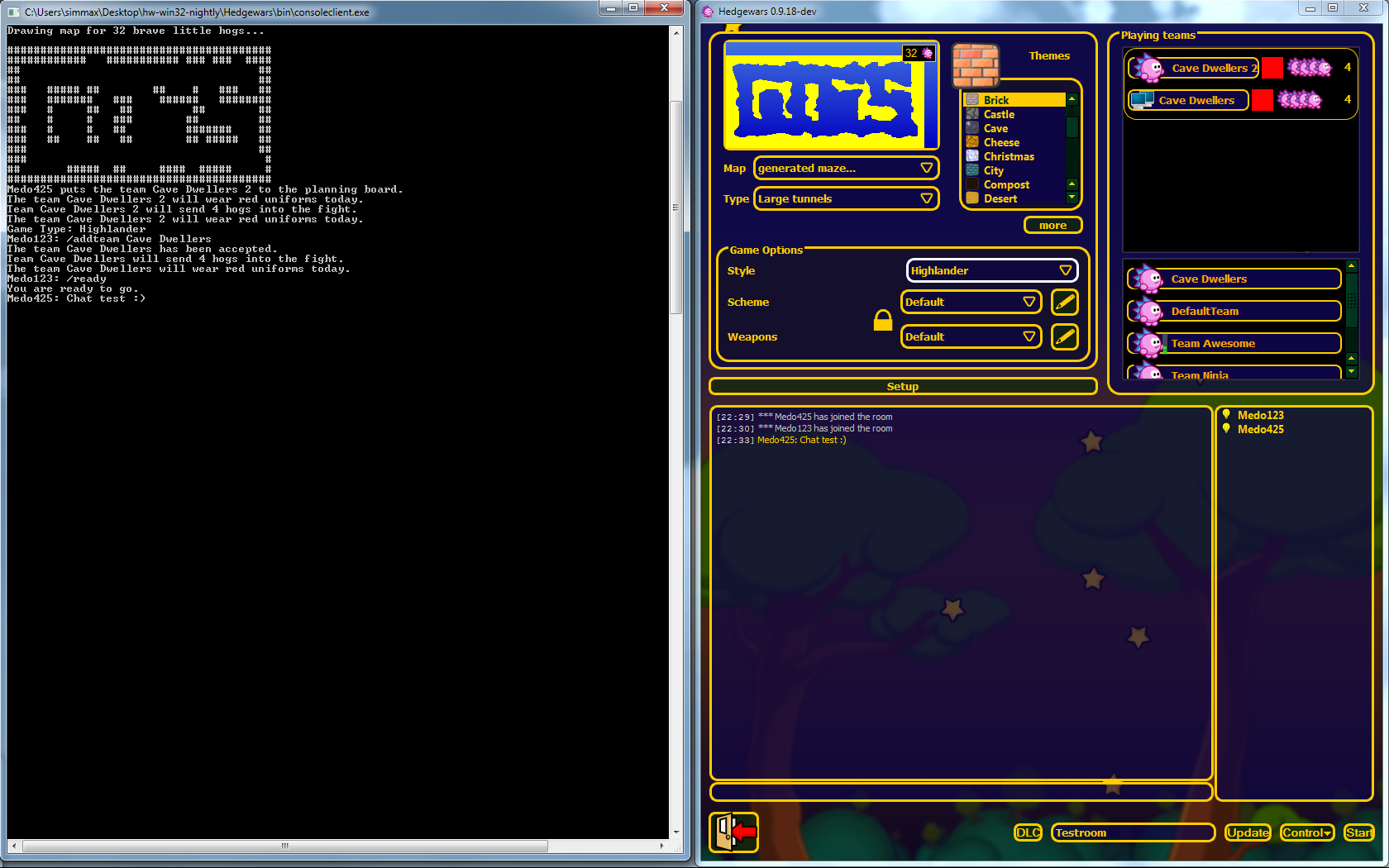
It has been a while again since the last blog post, and there has been a lot of progress. Almost everything in the new frontend library works now, and to test the library and how much it will simplify creating a new frontend, I quickly hacked together a "toy" frontend running in the Windows console.
It's not full-featured, but you can chat, join a room, add teams, and then play. You will even see a small ascii-art preview of the generated map. You can't create rooms though.
The frontend is Windows-only at the moment (wine does not seem to like it much, either), and the frontend+library are hardly tested at all. In other words, I take no responsibility if you decide to try it out yourself.
If that does not scare you off, you can download the console frontend here and extract all files it into the "bin" directory of a nightly build. Start the consoleclient.exe and enter your username. You will be connected to the hedgewars server, and the available commands will be explained.
To add a team to a room with the /addteam command, there has to be a file with the name
Due to the (cheap) way this frontend is written, you don't have much time to type your commands. Once you start pressing keys, a prompt with your nickname appears, and the frontend stops reacting to anything but your input until you press enter. The server does not like that though, and if it has to wait too long for a reply it will disconnect you.
It is probably helpful to start the normal frontend as well, so you can see what you are doing, and to create a room to test in.
GSoC project: Video Output Tool
Hi all! I haven't written in my blog for a long time, so you maybe forgot that I am responsible for implementing video recording in Hedgewars.
Screen capture software usually skips frames if your computer is not fast enough to record & encode video in real-time. But video recording in Hedgewars is not real-time; instead it first records game demo & camera positions and then starts video encoding in background using as much time as necessary. The result is that you can easily record high-resolution videos.

To record video you just need to press ‘R’ during a game. You will see a red blinking circle in top left of the screen indicating that you are recording video right now. After all interesting events have passed press ‘R’ again and recording will stop. Then actual video encoding will automatically starts in background.
Here is video showing how it all works:
And here is screenshot of the page with list of recorded videos and options for video recording (click to enlarge):

GSoC project: Sprite engine overhaul - Weekly A&O report #6/7
Hi everyone!
Time for some updates. Implementing the actual atlas took quite a little longer than a week, which however, was to be expected. After all it was a rather complex change. During the last two weeks the atlas code has gone through quite some changes. As you may recall in an earlier A&O I described, how I seperated texture internals to sprites and textures.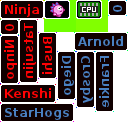
Atlas after adding 14 sprites
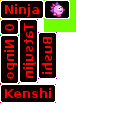
Atlas after adding 7 sprites
The next logical step was to pack several sprites into a shared texture like you can see in the following images:
The whole process works adaptive, meaning one sprite can be added after another. The packer will try to insert the requested sprite as good as it can into the free region(s).
However at some point new sprites wont fit in anymore. As you can see the atlas is already quite full after having added 13 sprites to it.
Nightly builds, here they come
Hi everyone,
let's interrupt the flow of GSoC updates for a special announcement!
If you hang around with us in IRC you've probably noticed that Xeli set up a nice buildbot system that automatically compiles the latest version of Hedgewars and checks if each commit breaks a particular configuration (not that it ever happened  )
)
One of the amazing thing of our configuration is that we were able to setup a full platform check for Linux, Android, Windows and OSX (iOS might come up later on). Windows is compiled from unc0rr's machine through WINE while OSX is actually crosscompiled from Linux (yeah, we're officially in the club "I managed to crosscompile for Apple, yo!")
Today we bring this to a step further, nightly builds are available! Now our buildbot prepares some easy packages for every platform, so that you can live on the bleeding edge and try our new exciting features before official release! Getting some early feedback will help understand the community position on certain design decisions and also improve our release capabilities, by spotting and (hopefully) fixing bugs before an actual release.
So, don't waste any more time and head to http://xelification.com/nightly/
Koda 
Insert standard disclaimer clause here: nighly software is completely untested and unsupported and might not play nice with your current profile, so make backups as always!
